
Nightcap shuts your phone genuinely off at any time you schedule. It's the same clean power-off you'd get from holding the power button and tapping Power off. Set it once and the OS does the rest.
Requires Android 8.0+ and the free Shizuku helper app. No root needed.
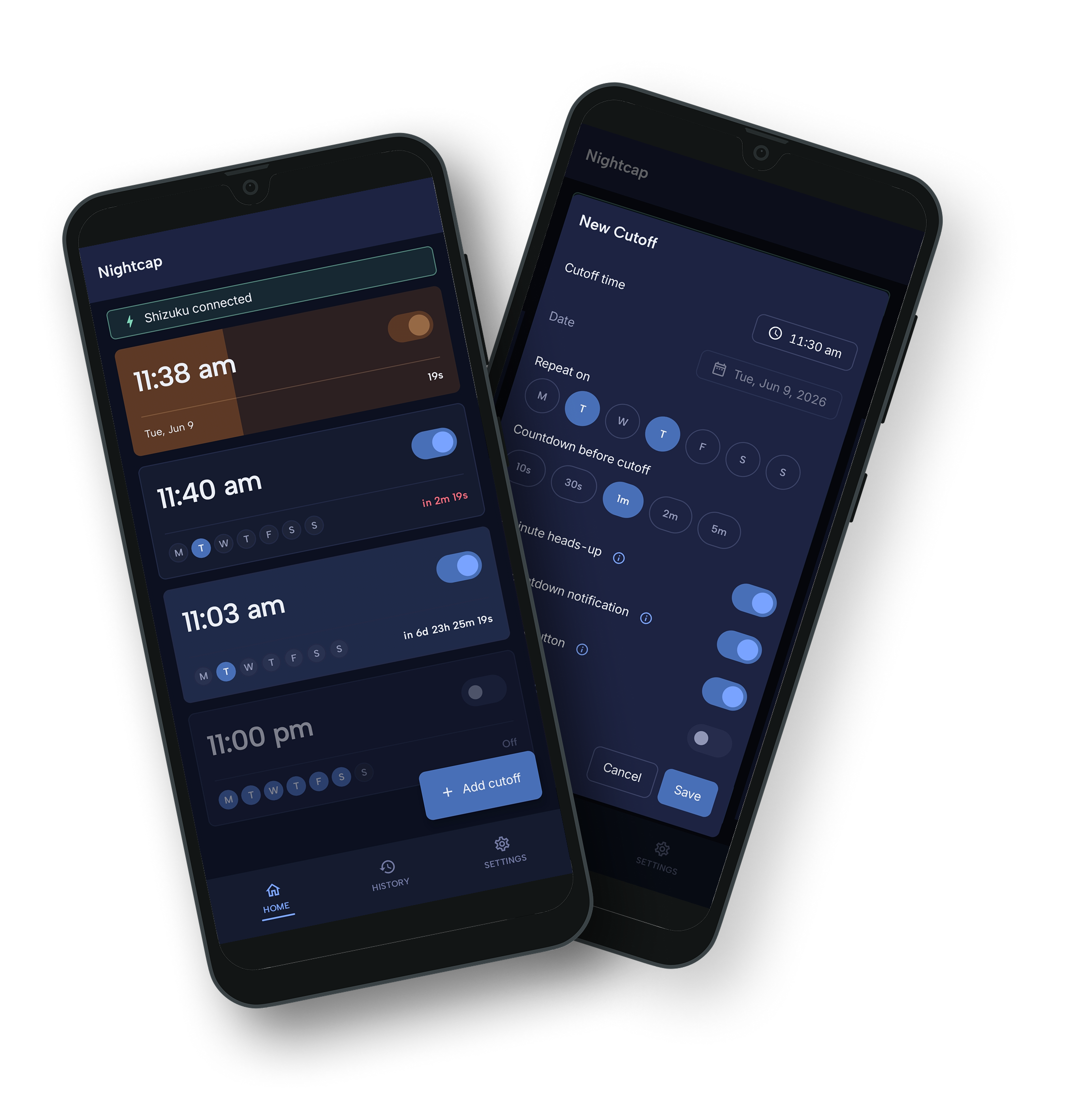
Screen-lock, grayscale, app blockers, focus modes: all reversible with a single tap. Nightcap makes the phone genuinely unusable at the time you committed to. If you want to keep using it, you have to physically press the power button and wait for the OS to boot.
That friction is the whole point. Most of the time, you won't bother.

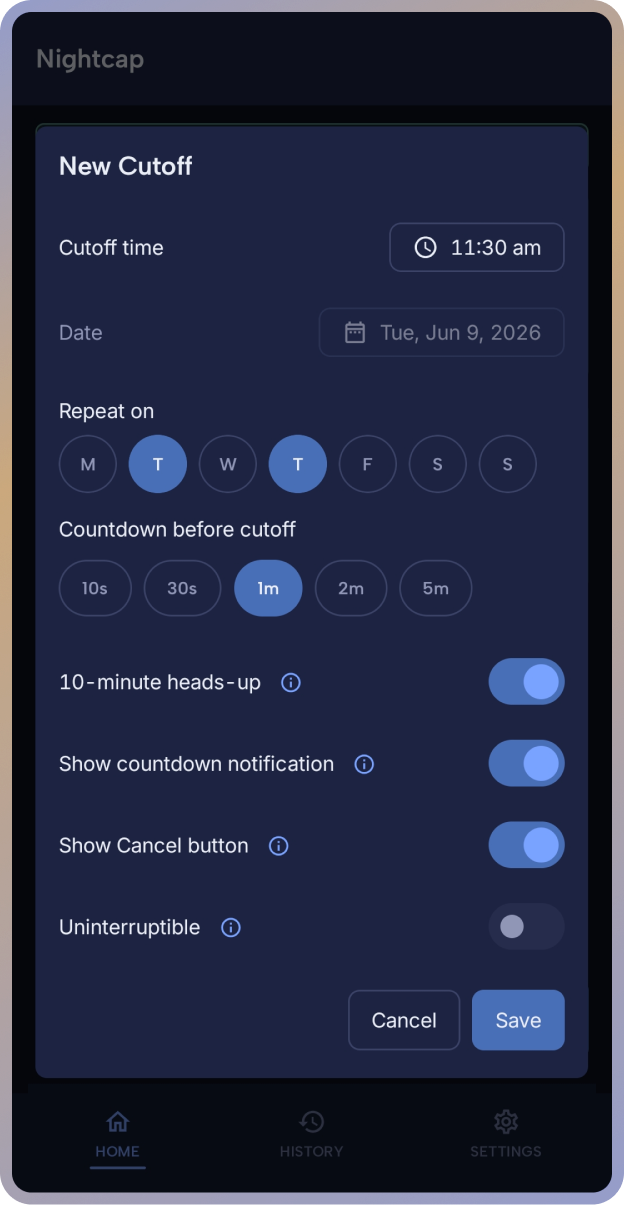
Repeat on chosen weekdays, or one-time on an explicit calendar date. Set countdown length per cutoff.
Optional notification 10 minutes before the cutoff so you can wrap up. Per-cutoff toggle.
A persistent notification ticks down the final seconds. Tap Cancel any time before zero.
For the version of you who knows you'll talk yourself out of it. Once saved, only the master kill-switch can stop it.
One toggle in Settings disables every cutoff and stops any countdown in progress. Useful for travel days or sick days.
Every cutoff with its outcome: triggered, cancelled, shut down, aborted, failed, and the reason. Stays entirely on your device.
Nightcap doesn't decide when the phone should be off. You do. A few common patterns to start from:
Phone off at 10:00 AM weekdays for a 2-hour focus block. You don't even need to remember; it's gone.
Phone off at 11:00 PM Mon to Fri. The late-night doomscroll loses because the phone simply isn't there.
Schedule a one-time cutoff before an exam study block. Phone goes off, you sit down, no swipe-up escape hatch.
Phone off from 7:00 PM weeknights so you're actually present. Repeat schedule, set once.
One-time cutoff before a 45-min session. You walked in to train, not to scroll between sets.
One-time cutoff Saturday morning at 9 AM. Phone stays off until you actively decide to come back online.
One-time cutoff at midnight if you're heading out without a charger. Phone shuts down cleanly instead of dying mid-call tomorrow.
Any wall-clock time you can name, any combination of weekdays, repeating or one-shot. Nightcap fires it on the dot.
Shizuku is a free helper app that gives Nightcap the access it needs to power your phone off at ADB-shell privilege, with no root required. The in-app Setup Guide walks you through pairing it via Wireless debugging (on-device, no PC needed).
Open Nightcap, tap Connect Shizuku, allow the permission prompt. Nightcap shows green when it's ready to fire.
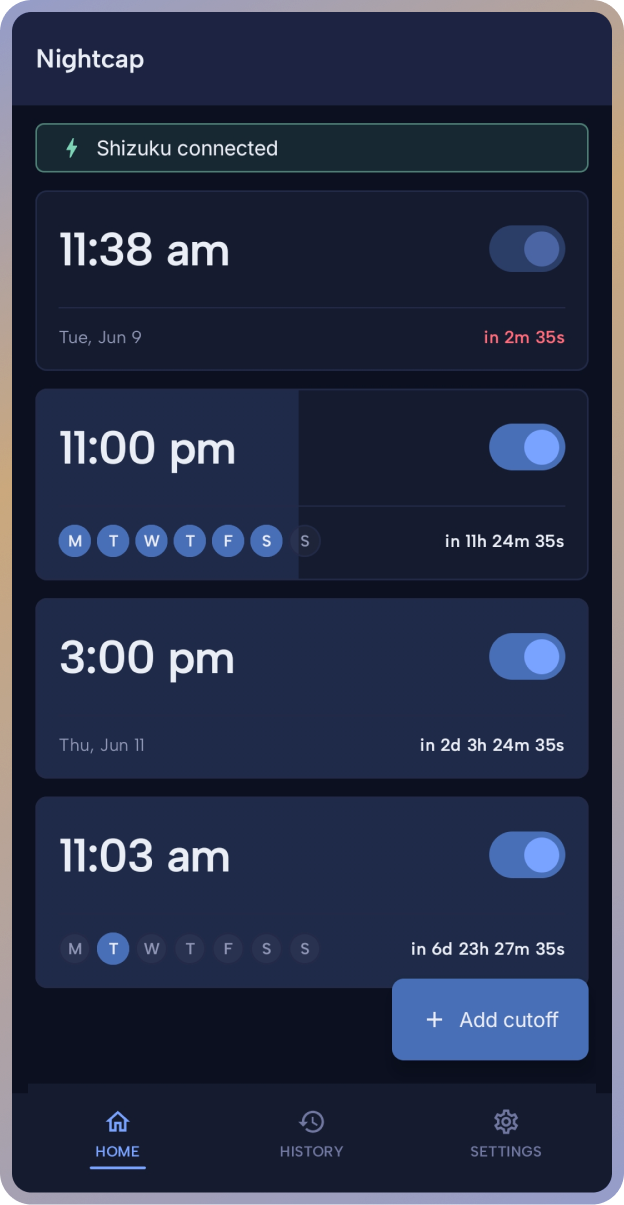
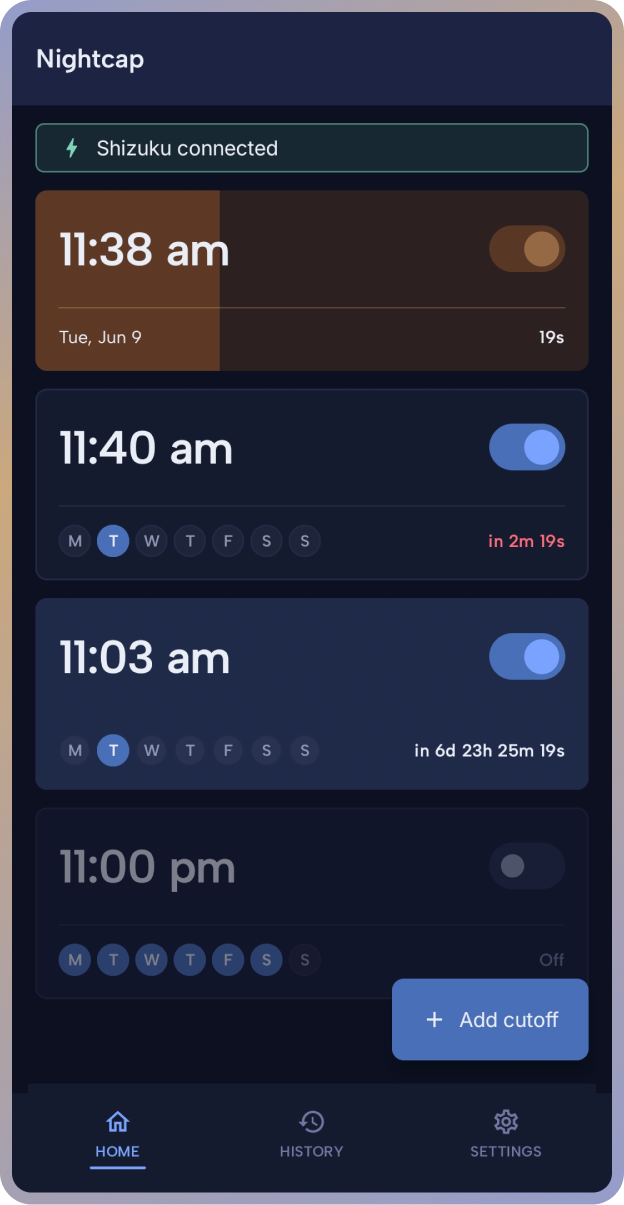
Pick a time, pick days (or one date), pick a countdown length. Save. At the time you set, Nightcap fires the heads-up, then the countdown, then the shutdown.

From the editor screen to the final 32-second countdown.
Most Android skins kill background apps differently. Nightcap detects your manufacturer and walks you through your phone's specific autostart and battery toggles with one-tap deep links.
We don't run a backend and we don't have a login. Every cutoff and history entry stays in the app's own private storage on your device. The only time the app touches the network is for the optional Google Play Billing transaction if you buy Pro, and Google handles that; nothing reaches us.
 Nightcap